Borgmatic UI
Included in Infinity ToolsThe control centre for your backups.
There is no separate license for this. It is included in every Infinity Tools license, including the free edition. Infinity Tools pricing →
See it working
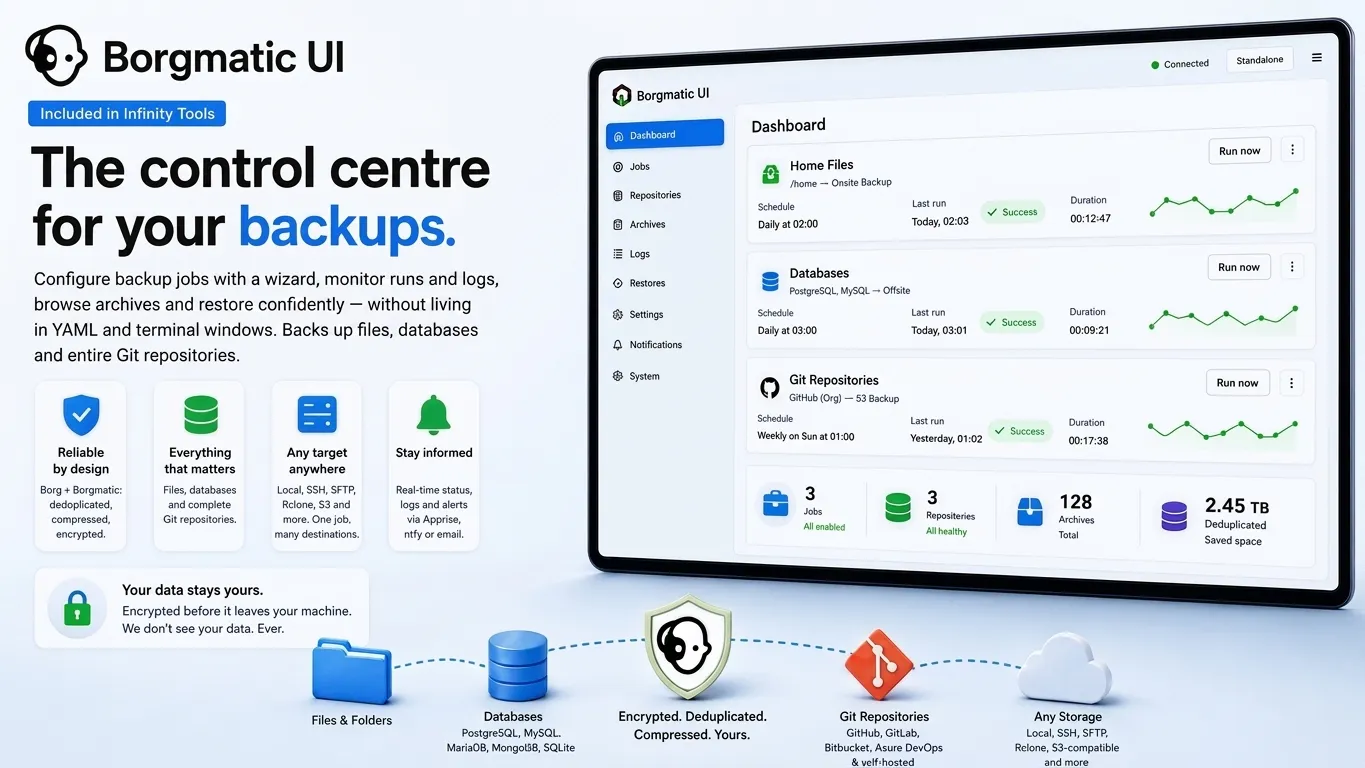
9 views · scroll or swipeWhat Borgmatic UI does, on one screen: scheduled jobs for files, databases and Git repositories, each encrypted and deduplicated before it leaves the machine, written to whichever destinations you point it at.
The strongest backup engine on Linux, with an interface on top
Borg is what people reach for when the backups have to be right. Every unique block of data is stored exactly once, so a month of daily archives costs a fraction of a month of copies. Everything is compressed, and encrypted on your side before it leaves the machine. Incrementals move only what changed. Archives are browsable like a filesystem, and old ones prune themselves on the schedule you set.
Borgmatic UI puts a web interface over all of it:
- A wizard for every backup job — sources, repositories, retention, compression, encryption and schedule, validated before anything can run
- Backup targets (Repositories) anywhere — a local disk, another server over SSH or SFTP, Rclone remotes and S3-compatible storage, with one backup writing to several
- Live progress and readable logs, instead of parsing output after the fact
- Restores from a file browser — open an archive, pick what you need, send it wherever you want
- Auto-discovery of databases running in Docker on the same host
- Failure notifications through Apprise, ntfy or email
- Director mode in the commercial edition, to run all of this across a fleet of servers from one console
The point of the interface is not that it looks nicer. It is that the person who has to restore something at 3 a.m. does not have to be the person who set the backups up.
Backups of Git repositories
Repositories are the crown jewels of a software company, and the industry has quietly accepted that they live on someone else’s servers with no independent copy. Accounts get locked. Repositories get deleted, sometimes by an AI agent with more confidence than judgement.
The commercial edition backs up complete repositories from GitHub, GitLab, Azure DevOps, Bitbucket and self-hosted Git servers — a whole organisation at a time, as bare mirrors, as working copies, or both — and restores them back to any of those platforms through a wizard that handles credentials, naming and connectivity testing separately from your backup credentials.
The existing alternatives are cloud-only, expensive, and require handing your source code to another vendor. This runs on your hardware, encrypted with your keys.
Your databases, dumped properly and versioned
A file copy of a running database is not a backup — it is a file that may or may not restore. Borgmatic UI takes a real dump from a live connection, on a schedule, versioned in the same archive as everything else, so what you get back is consistent.
PostgreSQL, MariaDB, MySQL, MongoDB and SQLite work in every edition, and databases running in Docker on the same host are discovered for you. The commercial edition adds Microsoft SQL Server and Azure SQL with cloud-friendly authentication. Every connection can be tested before you save it.
Combined with Rclone UI you can also mount cloud storage and back it up in a read-only pull fashion — which is how backups should work, since a compromised source cannot then reach into the backup.
Community and Commercial
Borgmatic UI is included in every Infinity Tools license. Which edition you get depends on the Infinity Tools license you hold, not on a separate purchase.
Community
Included with the free Infinity Tools edition.
- Three machines, private and non-commercial use only
- Backups of files and folders, local and remote repositories
- Database backups — PostgreSQL, MySQL, MariaDB, MongoDB, SQLite
- Archive browsing and restore to any destination
- Notifications through Apprise and ntfy
Free. Private, non-commercial use only.
Commercial
Paid licenseEverything in Community, plus:
- Git backups and restores — GitHub, Azure DevOps, Bitbucket and GitLab
- Database backups additionally from Azure MS SQL
- Director mode, to manage several Borgmatic UI instances across servers
What you get
Wizard-driven configuration
Sources, retention rules, compression, encryption and schedules, with validation before anything runs.
Database backups
PostgreSQL, MariaDB, MySQL and MongoDB stream natively into the archive. SQLite is backed up as files. Microsoft SQL Server and Azure SQL are available in the commercial edition.
Git repository backup
Back up complete repositories from GitHub, GitLab, Azure DevOps, Bitbucket and self-hosted servers — then restore and push them back. Commercial.
Restores you can trust
Browse archives, select individual files or directories, and restore to a destination you choose. Restore history is kept for accountability.
Director mode
Manage backups across an entire fleet from one console, instead of opening one UI per server. Commercial.
Notifications
Apprise covers more than a hundred services; ntfy is included for push notifications.
Try Borgmatic UI on one machine and see.
Tell us what you are trying to solve and we will tell you honestly whether this is the right tool.