Rclone UI
Included in Infinity ToolsEvery cloud storage provider, as a drive on your server.
There is no separate license for this. It is included in every Infinity Tools license, including the free edition. Infinity Tools pricing →
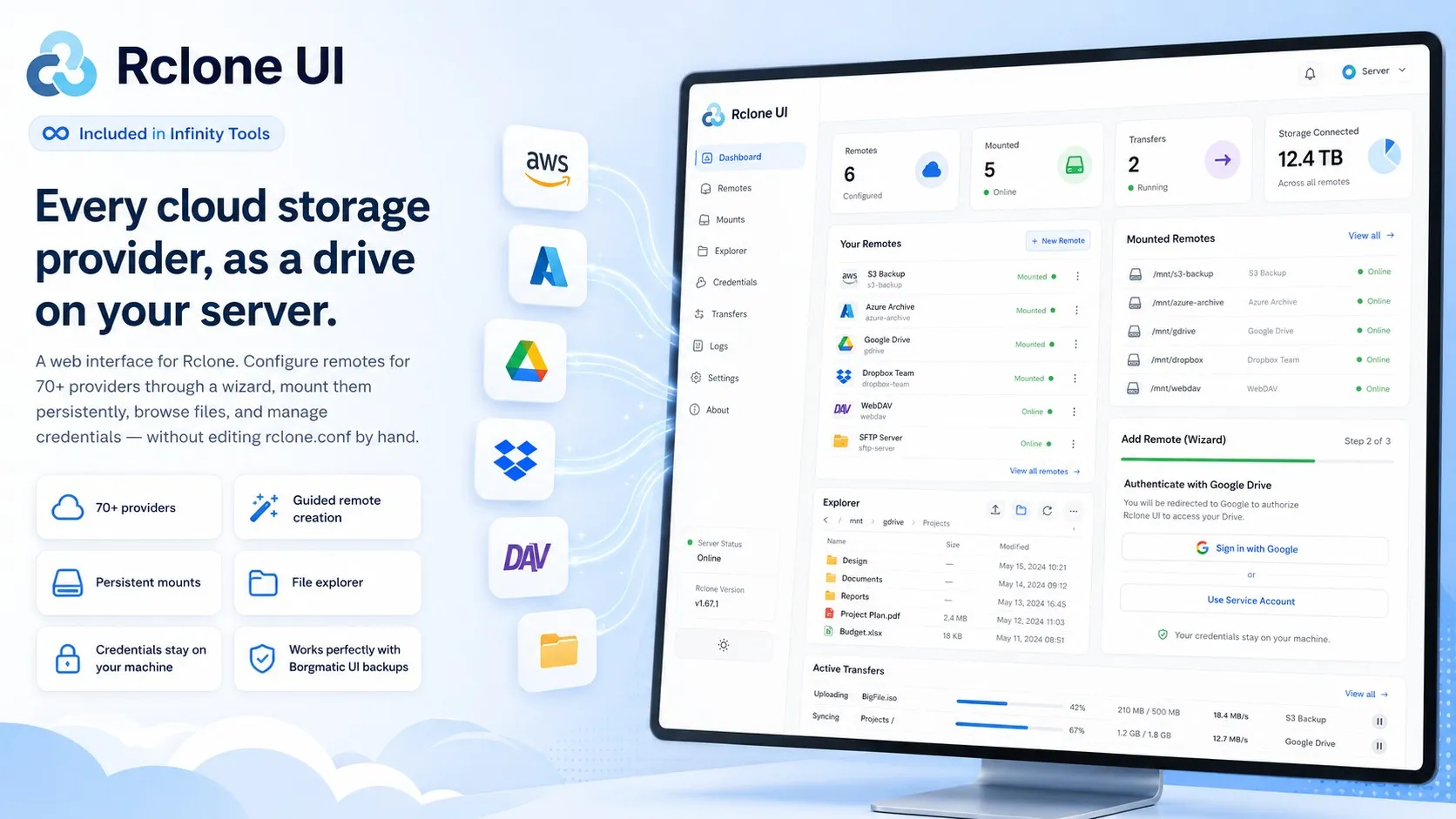
See it working
5 views · scroll or swipeWhat Rclone UI does, on one screen: remotes configured through a wizard, mounted as drives on your server, with a file explorer and live transfers — and the credentials never leaving your machine.
What it is
Rclone is the standard tool for moving data between cloud storage providers, and its configuration is a text file you are expected to edit by hand — including the OAuth flows.
Rclone UI puts a web interface over it: a wizard for each provider, an authentication proxy that completes OAuth for you, persistent mounts managed as first-class objects, and a file explorer.
The combination that matters
On its own, a storage UI is a convenience. Paired with Borgmatic UI it becomes something harder to buy elsewhere.
Mount a cloud bucket read-only, point a backup job at the mount, and you have versioned, encrypted, deduplicated backups of storage you do not own — pulled by a host the source cannot reach back into. That is the correct shape for a backup, and it is normally a bespoke scripting job.
Community and Commercial
Rclone UI is included in every Infinity Tools license. Which edition you get depends on the Infinity Tools license you hold, not on a separate purchase.
Community
Included with the free Infinity Tools edition.
- Three machines, private and non-commercial use only
- All 70+ storage providers, through the setup wizard
- Persistent mounts that survive a reboot
- The file explorer, and credential management
Free. Private, non-commercial use only.
Commercial
Paid licenseEverything in Community, plus:
- Director mode, to manage several Rclone UI server instances from one console
What you get
70+ storage providers
AWS S3 and every S3-compatible service, Azure Blob, Google Drive, Dropbox, OneDrive, Backblaze B2, SFTP, WebDAV and the rest of the Rclone catalogue.
Guided remote creation
A wizard per provider, including the OAuth flow, handled by a built-in authentication proxy so you are not copying tokens between terminals.
Persistent mounts
Mount a remote as a drive and keep it mounted across reboots. Anything that can read a folder can now read your cloud storage.
Backup your cloud storage
Mount a bucket read-only, point Borgmatic UI at it, and you have versioned, encrypted, pull-based backups of storage you do not control.
File explorer
Browse, copy and move files between remotes without dropping to the CLI.
Director mode
Manage Rclone across many servers from one console. Commercial.
Try Rclone UI on one machine and see.
Tell us what you are trying to solve and we will tell you honestly whether this is the right tool.